A fleet dashboard that replaced two hours of table-scrolling
Team. One PM, one data analyst, an engineering team, and Sales for customer access. I was the only designer on the product.
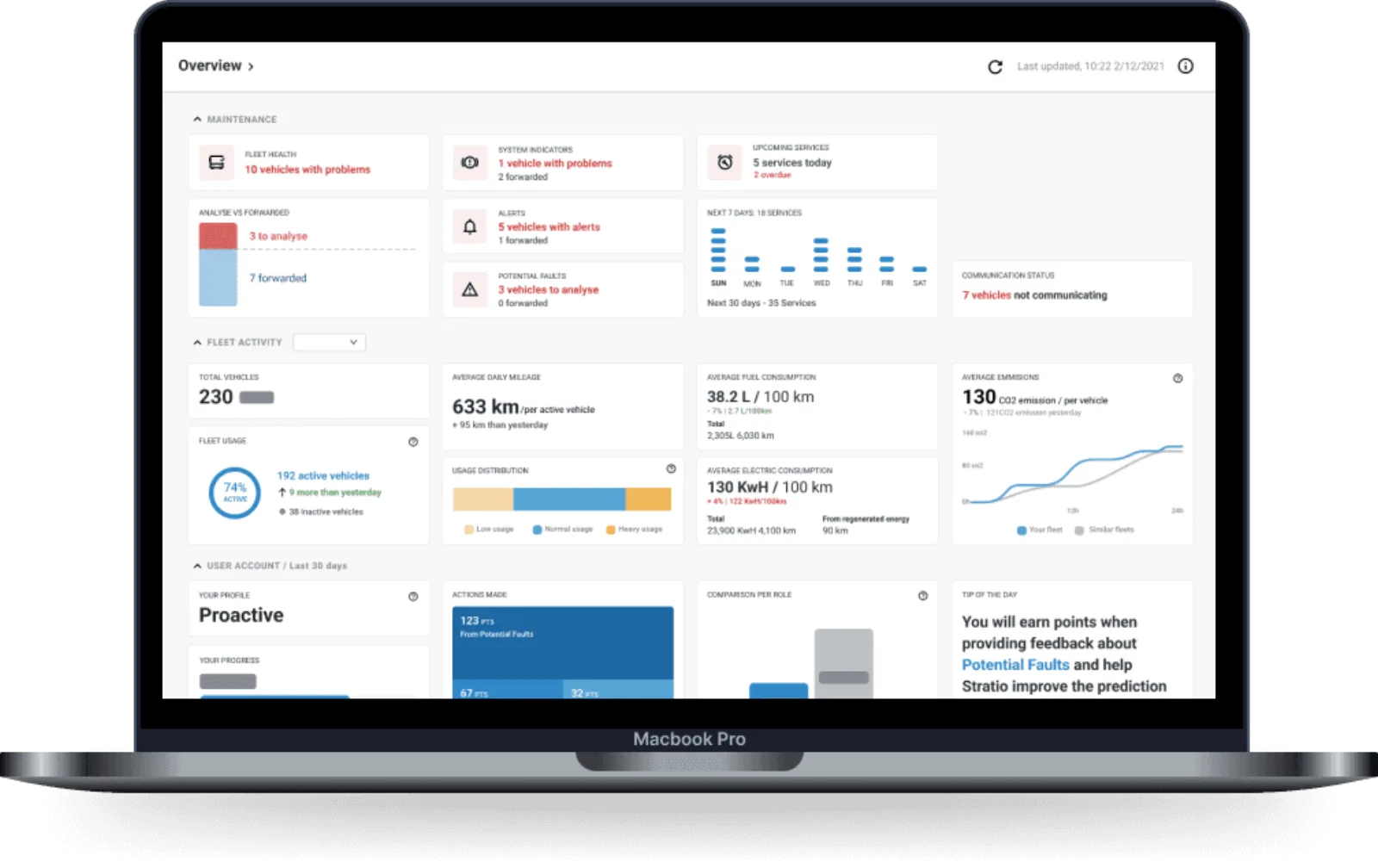
Fleet managers spent two hours a day scrolling service tables to check whether anything was wrong, and were never sure they had seen everything. I replaced the check with a glance.
No pre-redesign baseline was captured. That was my mistake and the retrospective on this page says so, because it changed how I start work now.
The situation
Stratio sells predictive maintenance on subscription, so the business runs on renewal. The forecasting worked. Reading it did not, and the dashboard is the first thing a renewing customer opens.
This was prioritised for retention. A customer who cannot read the forecast is paying for a capability they experience as a spreadsheet, and the renewal conversation gets harder every quarter.
Underneath it, fleet managers spent two hours a day scrolling service tables to work out whether anything was wrong. Not analysing. Checking. And still not confident they had seen everything, so they checked again later.
I surveyed 70+ customers and ran 12 in-depth interviews, in person and remote, with Sales opening the doors. One line from those sessions framed the whole project:
“I know you have this information, why do I need to click through five screens to see it?”
The finding was not the clicking. It was the anxiety. Users felt personally responsible for costly oversights buried in tables, and that fear drove the rechecking far more than any inefficiency did. The problem was not speed. It was confidence.
The research also moved the scope. Managers were using the platform for logistics as well as maintenance, which nobody had specified, so a maintenance-only dashboard would have shipped already wrong.
What I decided
Replace the check with a glance, rather than make the tables faster
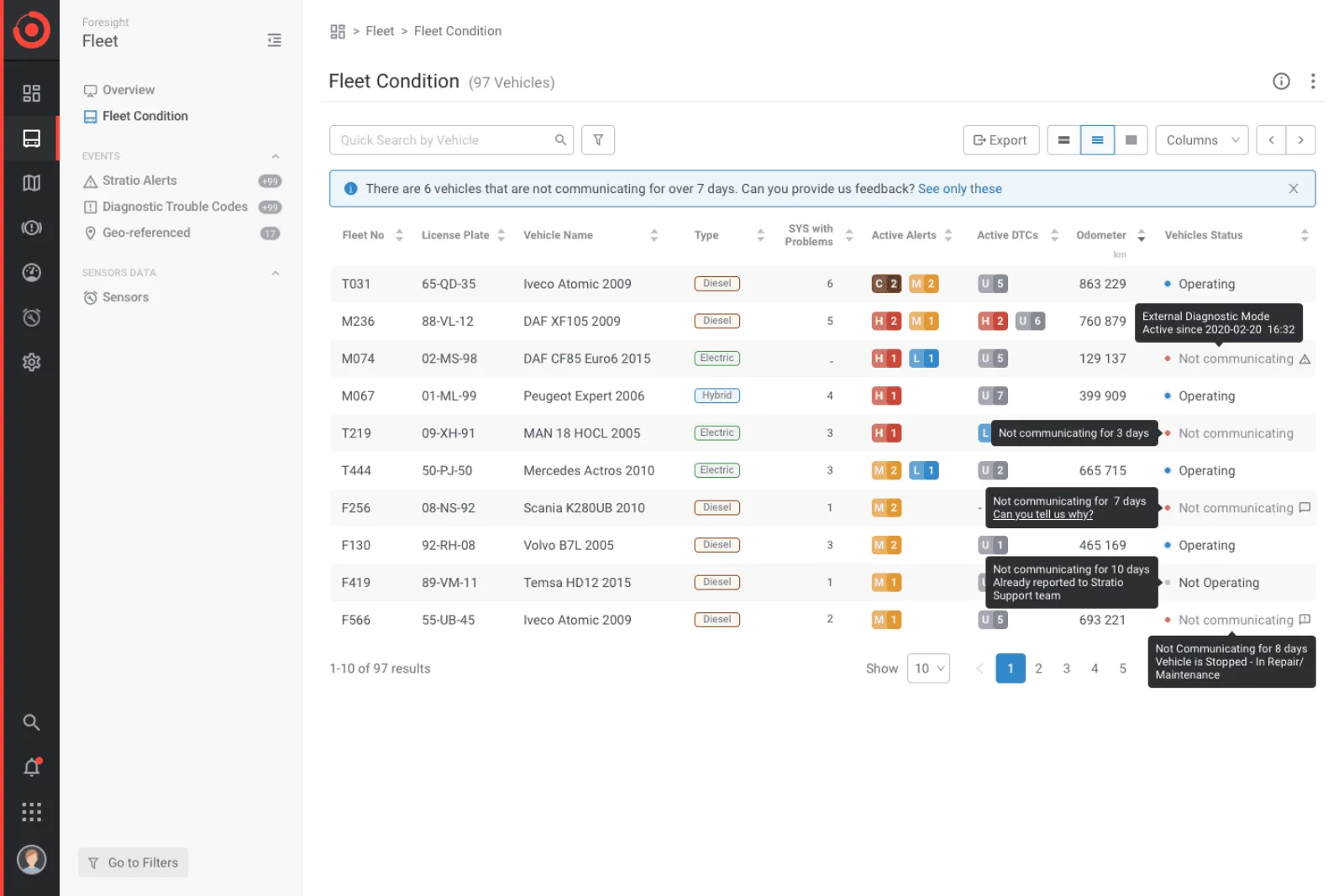
Faster tables would have cut the two hours and left the doubt, because the doubt came from not knowing what you had not scrolled to. An overview that answers "is anything wrong" in one look is a different product, not a faster one.
- Instead of
- Optimising navigation and filtering on the existing table views, which is what the backlog asked for.
- What it cost
- A much larger build, and a dashboard has to earn its place every day or it becomes a splash screen people click past.
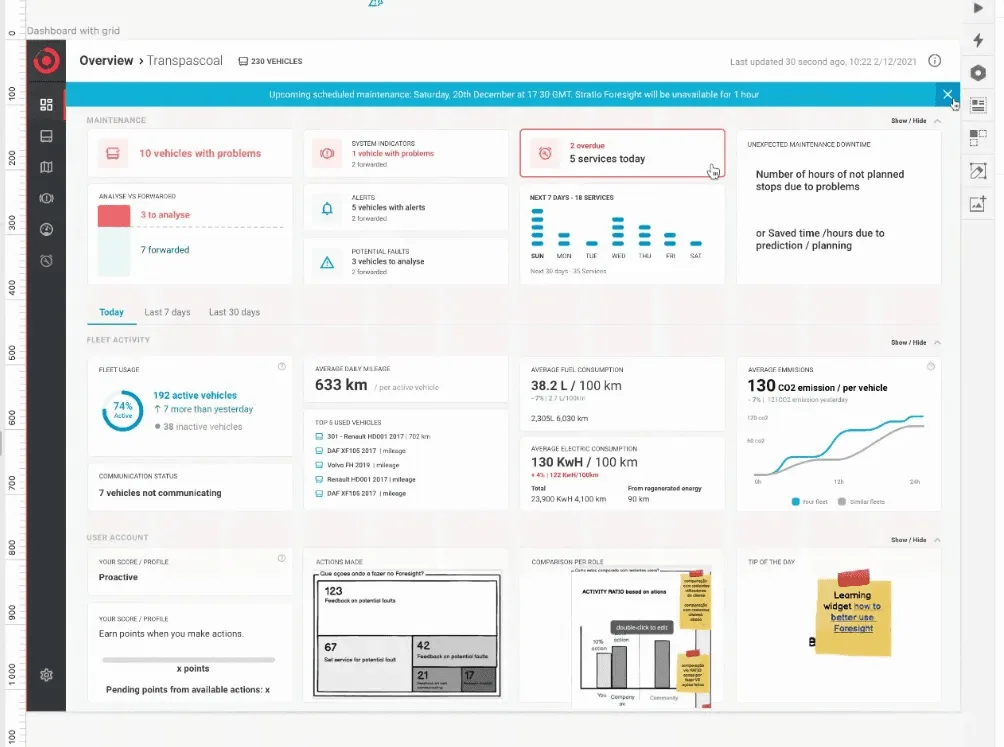
Three sections, with a hard split between what filters and what does not
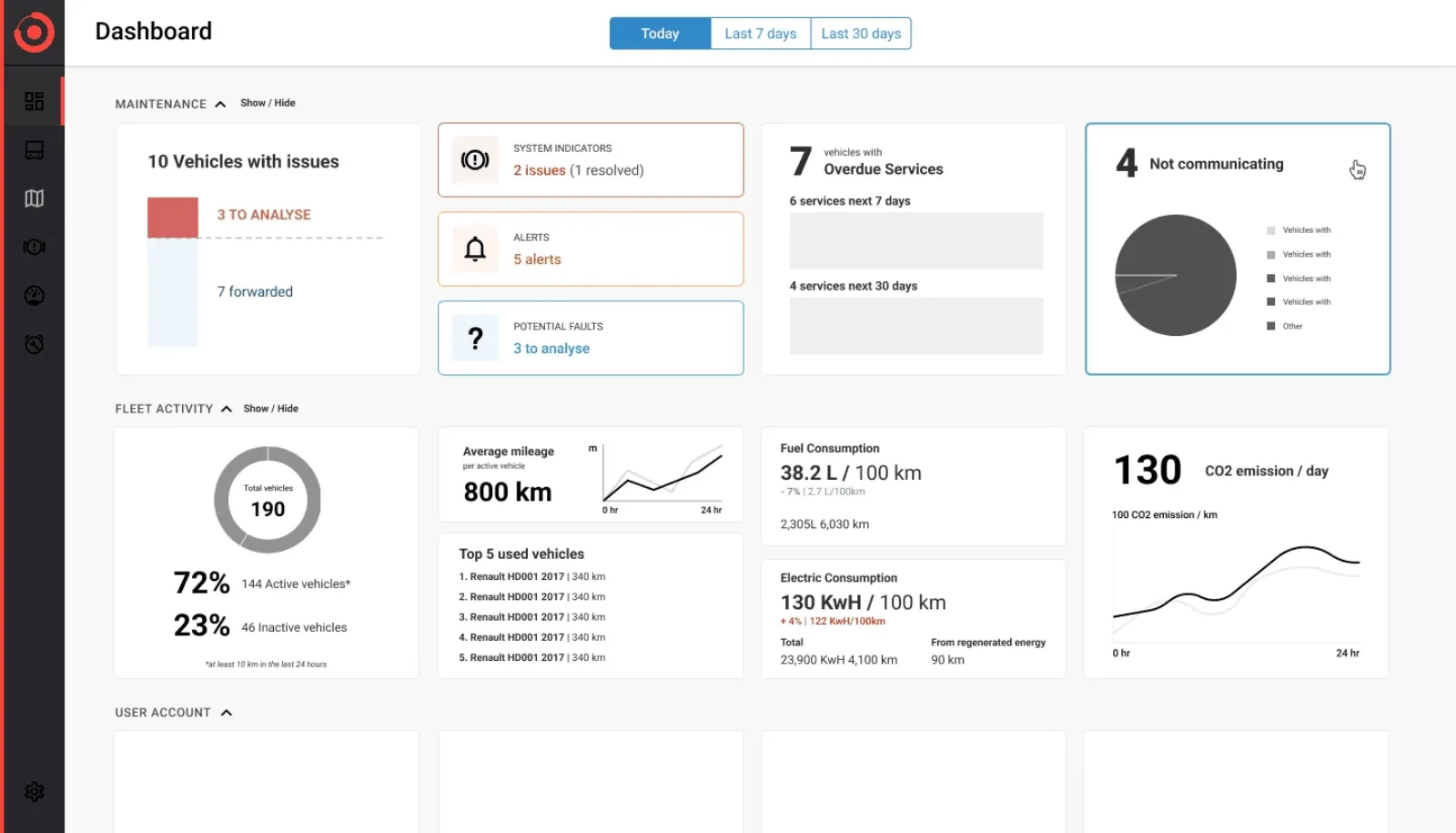
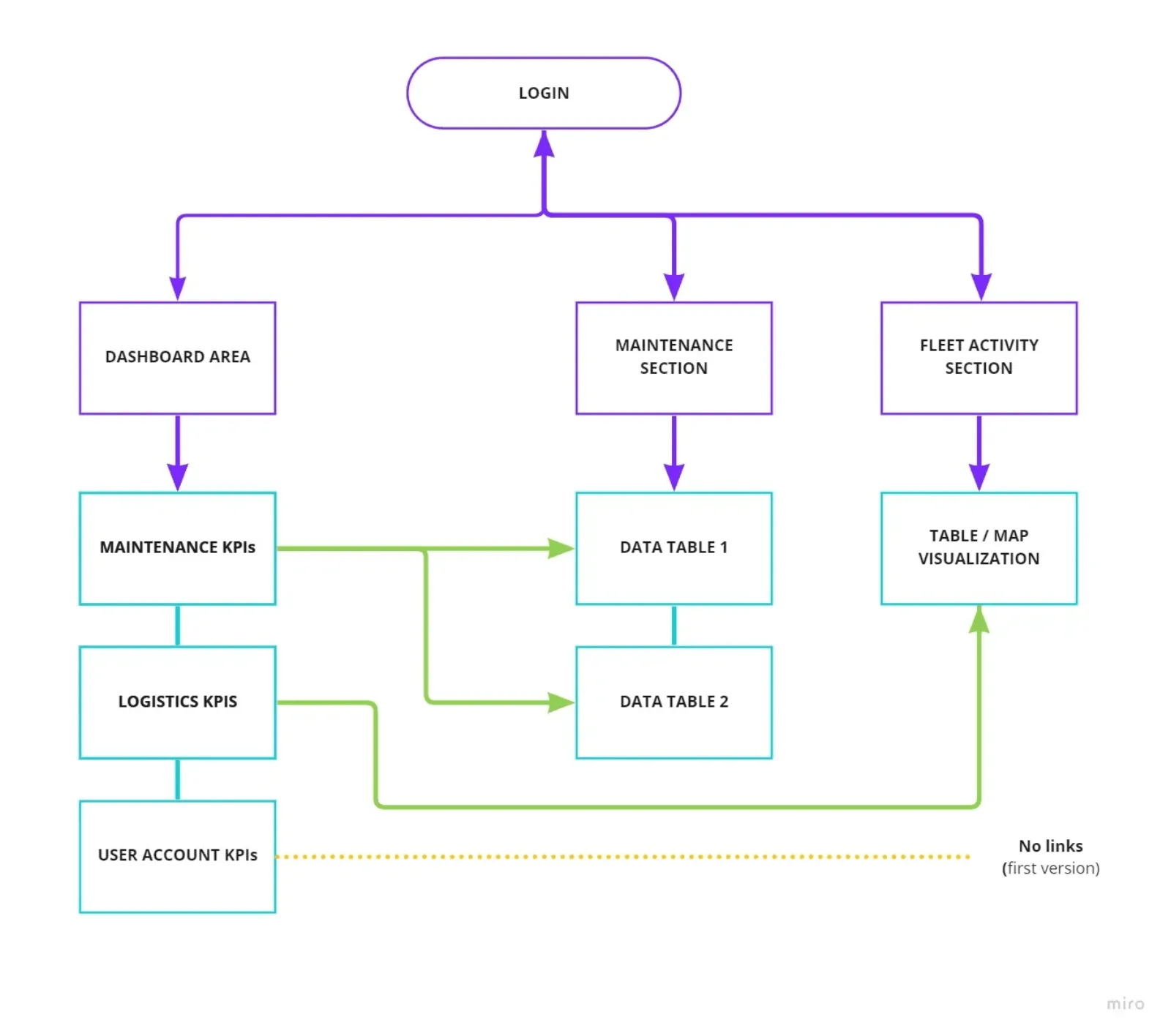
Maintenance, fleet activity and account each answer a different question, and each belongs to a different subscription. Splitting them let a section be hidden wholesale rather than leaving people staring at widgets they could not use.
- Instead of
- One continuous dashboard, which is how most of the competitor set does it.
- What it cost
- More structure to learn on first use, and a rule the team has to keep honouring as widgets are added.
Kill the richer charts, including the ones Marketing had asked for
Three groups wanted different things from this screen. Marketing asked for an outstanding visual experience, Customer Success for an intuitive way in, Sales for engagement numbers to move. Only one group uses it every day, and it is none of them.
I brought engineering into wireframing rather than handoff, to hear what would be slow, and killed the richer charts on the strength of it. That is the uncomfortable part: I made the product slightly worse at selling itself to make it better at being used.
- Instead of
- The expressive visualisations I had already explored, which demo beautifully.
- What it cost
- A less impressive sales demo, and I had to tell the brand team why.
Design every failure state before shipping any of it
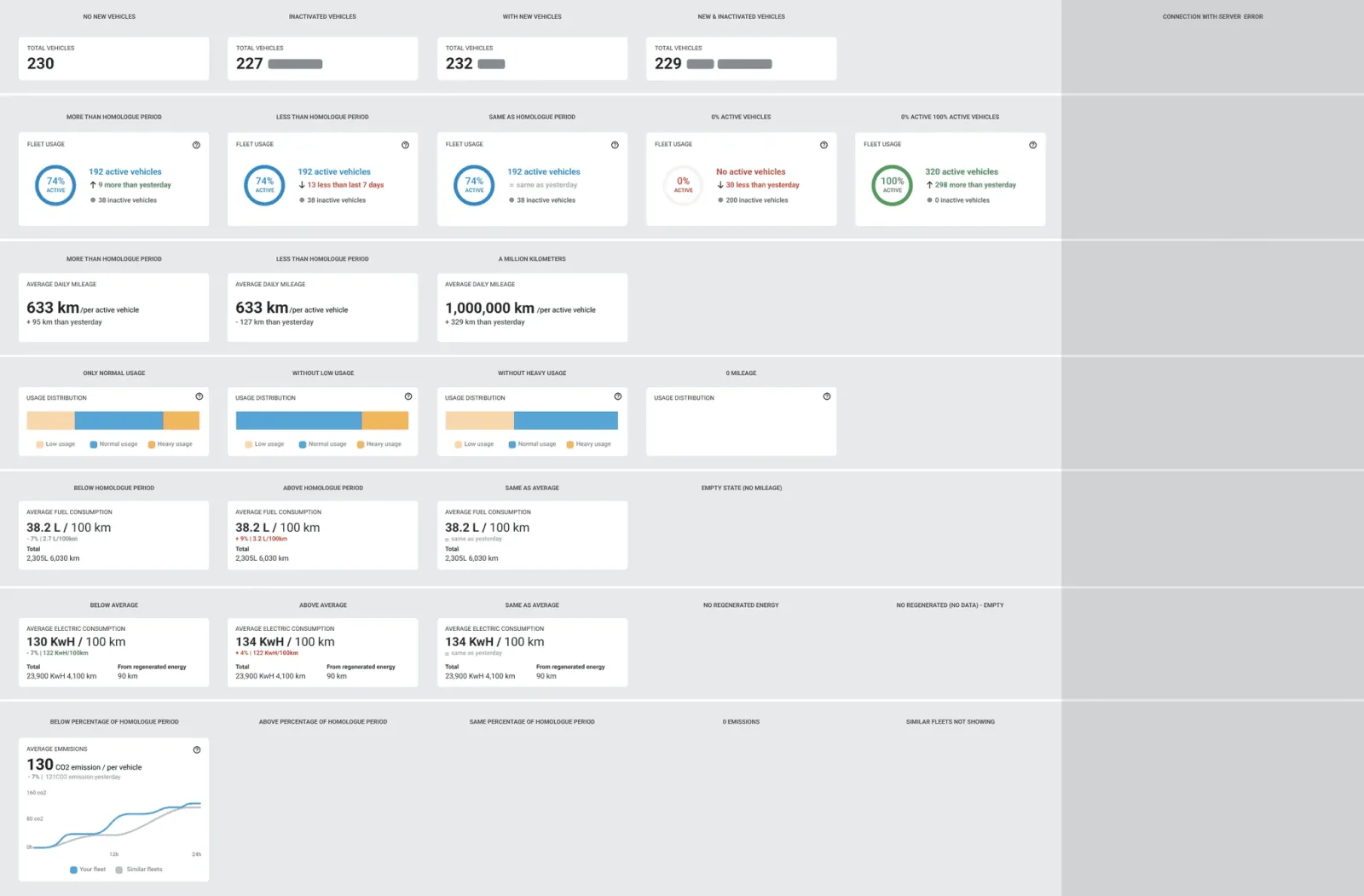
Fleets are not uniform. One runs 230 vehicles with none inactive, another has no mileage this period, another drops the server mid-session. I built the full matrix: empty, zero-data, extreme values, loading, error, and the awkward ones, like a fleet that is 100% active so the comparison has nothing to compare.
It is the deliverable I would point at first, and the reason the build produced no blockers. Engineering never had to invent a state or guess at the words for it.
- Instead of
- Documenting the happy path and handling empties during implementation, as the previous releases had.
- What it cost
- Roughly a week of design time before a single widget was production-ready.
Evidence
Testing in Maze with 4 internal stakeholders and 8 customers, on three scenarios: read the widget, say what you would do next, rank what matters.
Testing found real problems in the first three maintenance widgets. Internal feedback matched customer feedback closely enough that I stopped treating them as separate signals, and I iterated those three until the reading was clean.
The failure I was designing against
Not that the dashboard would be wrong. That it would be ignored.
Adding an overview on top of a table-first product has an obvious failure mode, and it is not inaccuracy. It is that people glance, learn nothing they trust, and go back to the tables. The dashboard becomes decoration, and the two hours stay where they were.
That is what the phasing was for. Maintenance shipped alone first, then fleet activity, then personalisation by role and fleet type. Had nobody used it, I would have known before fleet activity and personalisation were built on the same assumption. The question got answered while being wrong was still cheap.
It also explains why the widget set is short. Every widget that is merely interesting makes the ones that matter harder to find, and a glance that takes effort is a slower table.
What I would do differently
I did not capture a baseline, and that is the real weakness of this project. Engagement rose 40% in the first two weeks against the prior period, and I believe the number. But I cannot tell you what task time was before, how deep the click paths ran, or how often people erred, because nobody measured it while the old dashboard was live.
So the claim I can defend is narrower than the number looks: a redesign shipped, engagement rose sharply in a two-week window, and no blockers came out of it. What I cannot claim is that I reduced the two hours, which was the entire point.
Since this project I measure before I design. Task time, click depth, error rate and session pattern take an afternoon to instrument, and they are the difference between a result and an anecdote.